
6.2 KiB
6.2 KiB
[tutorial v1.1_180] Regexp type
Read the tutorial "Regexp type" in the documentation
Screenshot
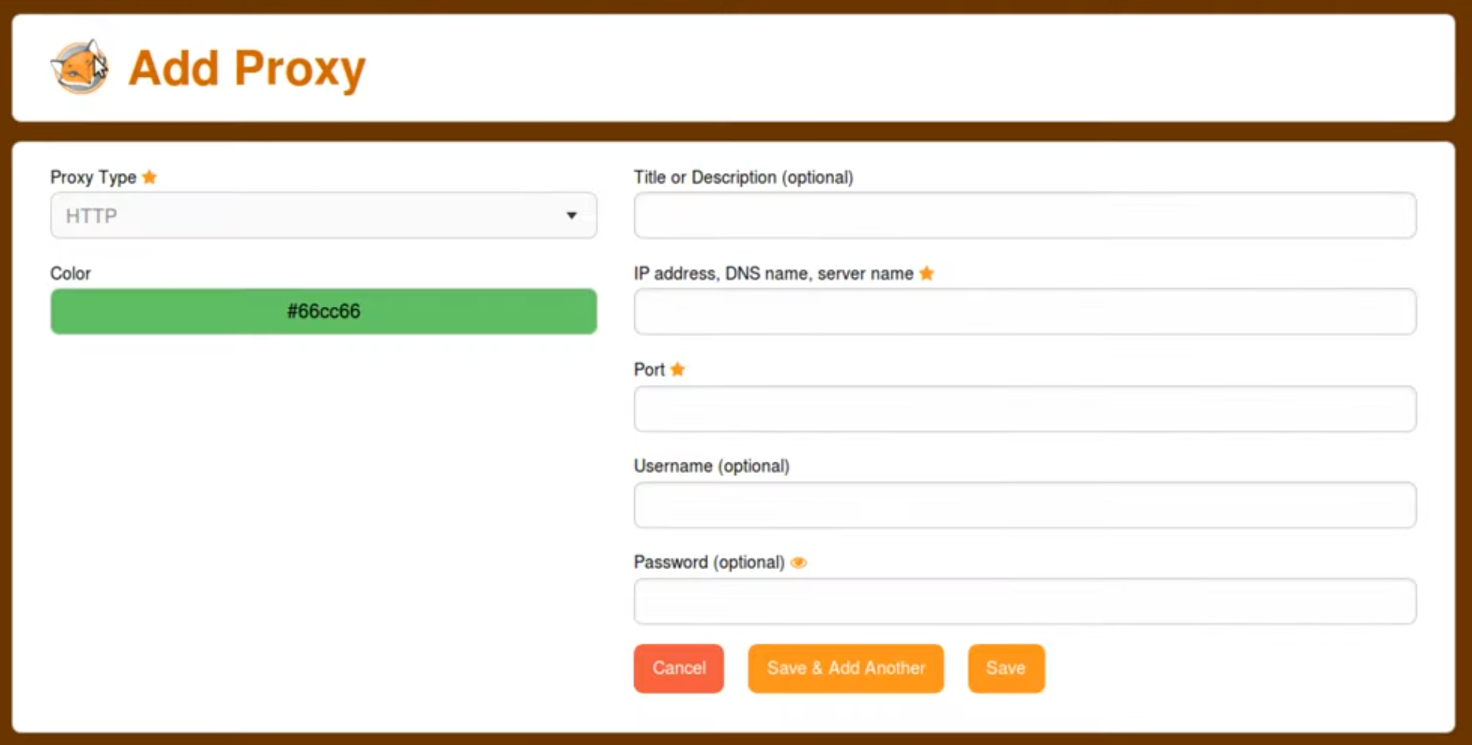
Clone and install
To test this tutorial, you need to download this repository and install Rougail:
git clone -b 1.1 https://forge.cloud.silique.fr/stove/rougail-tutorials.git
cd rougail-tutorials
python -m venv venv_rougail
. venv_rougail/bin/activate
pip install rougail-cli rougail-output-exporter rougail-output-doc rougail-user-data-yaml
Then switch to the tutorial page:
git switch --detach v1.1_180
Structure
.
├── firefox
│ ├── 00-proxy.yml
│ ├── 10-manual.yml
│ ├── 20-manual.yml
│ ├── 30-auto.yml
│ ├── 40-no_proxy.yml
│ ├── 50-prompt_authentication.yml
│ ├── 55-proxy_dns_socks5.yml
│ └── 60-dns_over_https.yml
├── foxyproxy
│ └── 00-foxyproxy.yml
└── types
└── proxy
└── 00-type.yml
Contents of the foxyproxy/00-foxyproxy.yml file
%YAML 1.2
---
version: 1.1

proxies:
  description: Proxy configuration
  type: leadership

  title:
    description: Title or Description
    mandatory: false

  color:
    description: Color
    regexp: ^#(?:[0-9a-f]{3}){1,2}$
...
Let's generate the documentation
rougail -m firefox/ -s Firefox -xn FoxyProxy -xd 0 foxyproxy/ --types types/proxy --modes_level basic standard advanced -o doc
Let's generate the changelog
rougail -m firefox/ -s Firefox -xn FoxyProxy -xd 0 foxyproxy/ --types types/proxy --modes_level basic standard advanced -o doc --doc.contents changelog --doc.changelog.previous_json_file previous.yml
User datas
Example 1
config/01/config.yml
---
Output
rougail -m firefox/ -s Firefox -xn FoxyProxy -xd 0 foxyproxy/ --types types/proxy --modes_level basic standard advanced -u yaml -yf config/01/config.yml
Note
Caption:
- Variable
- Default value
Variables:
- 📂 firefox (Firefox)
- 📓 proxy_mode (Configure Proxy Access to the Internet): No proxy
- 📂 dns_over_https (DNS over HTTPS)
- 📓 enable_dns_over_https (Enable DNS over HTTPS): false
- 📂 foxyproxy (FoxyProxy)
- 📂 proxies (Proxy configuration): []
Example 2
config/02/config.yml
---
foxyproxy:
  proxies:
    - title: My company
      color: '#66cc66'
Output
rougail -m firefox/ -s Firefox -xn FoxyProxy -xd 0 foxyproxy/ --types types/proxy --modes_level basic standard advanced -u yaml -yf config/02/config.yml
Note
Caption:
- Variable
- Default value
- Modified value
Variables:
- 📂 firefox (Firefox)
- 📓 proxy_mode (Configure Proxy Access to the Internet): No proxy
- 📂 dns_over_https (DNS over HTTPS)
- 📓 enable_dns_over_https (Enable DNS over HTTPS): false
- 📂 foxyproxy (FoxyProxy)
- 📂 proxies (Proxy configuration)
- 📂 title (Title or Description)
- 📓 title (Title or Description): My company ← loaded from the YAML file "config/02/config.yml"
- 📓 color (Color): #66cc66 ← loaded from the YAML file "config/02/config.yml"
- 📂 title (Title or Description)
- 📂 proxies (Proxy configuration)