No description
| config | ||
| firefox | ||
| DOCUMENTATION.md | ||
| firefox.png | ||
| foxyproxy.png | ||
| install.txt | ||
| README.md | ||
| tree.html | ||


[tutorial v1.1_070] A conditional hidden family with Jinja
Read the tutorial "A conditional hidden family with Jinja" in the documentation
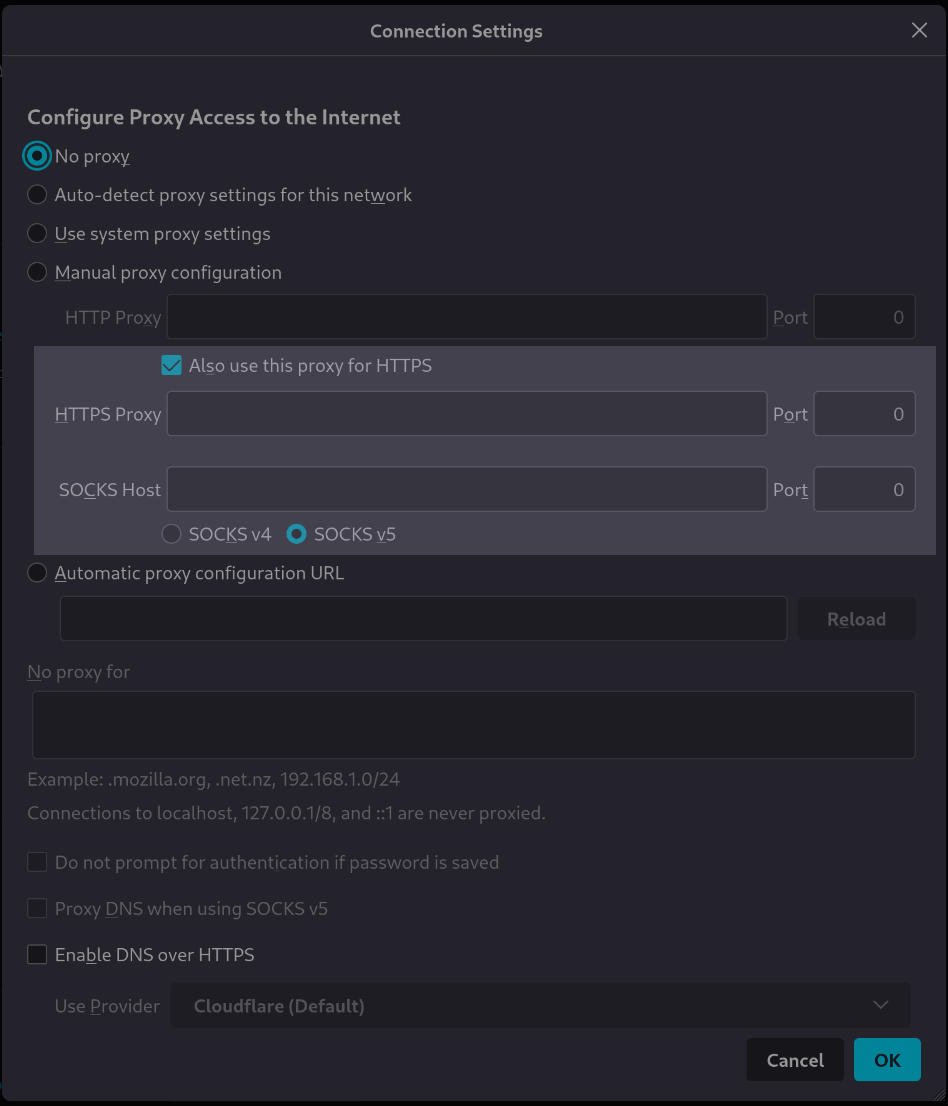
Screenshot
Clone and install
To test this tutorial, you need to download this repository and install Rougail:
git clone -b 1.1 https://forge.cloud.silique.fr/stove/rougail-tutorials.git
cd rougail-tutorials
python -m venv venv_rougail
. venv_rougail/bin/activate
pip install rougail-cli rougail-output-exporter rougail-output-doc rougail-user-data-yaml
Then switch to the tutorial page:
git switch --detach v1.1_070
Structure
.
└── firefox
├── 00-proxy.yml
├── 10-manual.yml
└── 20-manual.yml
Contents of the firefox/20-manual.yml file
%YAML 1.2
---
version: 1.1

manual:

  use_for_https: true  # Also use this proxy for HTTPS

  '{{ identifier }}_proxy':
    description: '{{ identifier }} Proxy'
    hidden:
      jinja: |-
        {% if _.use_for_https %}
          HTTPS is same has HTTP
        {% endif %}
    dynamic:
      - HTTPS
      - SOCKS

    address:
      description: '{{ identifier }} address'
      default:
        variable: __.http_proxy.address

    port:
      description: '{{ identifier }} port'
      default:
        variable: __.http_proxy.port

    version:
      description: SOCKS host version used by proxy
      choices:
        - v4
        - v5
      default: v5
      disabled:
        type: identifier
        when: HTTPS
...
Let's generate the documentation
rougail -m firefox/ -o doc
User datas
Example 1
config/01/config.yml
---
proxy_mode: Manual proxy configuration
manual:
  http_proxy:
    address: http.proxy.net
    port: 3128
  use_for_https: false
  https_proxy:
    address: https.proxy.net
Output
rougail -m firefox/ -u yaml -yf config/01/config.yml
Note
Caption:
- Variable
- Default value
- Modified value
- (⏳ Original default value)
Variables:
- 📓 proxy_mode (Configure Proxy Access to the Internet): Manual proxy configuration ← loaded from the YAML file "config/01/config.yml" (⏳ No proxy)
- 📂 manual (Manual proxy configuration)
- 📂 http_proxy (HTTP Proxy)
- 📓 address (HTTP address): http.proxy.net ← loaded from the YAML file "config/01/config.yml"
- 📓 port (HTTP Port): 3128 ← loaded from the YAML file "config/01/config.yml" (⏳ 8080)
- 📓 use_for_https (Also use this proxy for HTTPS): false ← loaded from the YAML file "config/01/config.yml" (⏳ true)
- 📂 https_proxy (HTTPS Proxy)
- 📓 address (HTTPS address): https.proxy.net ← loaded from the YAML file "config/01/config.yml" (⏳ http.proxy.net)
- 📓 port (HTTPS port): 3128
- 📂 socks_proxy (SOCKS Proxy)
- 📓 address (SOCKS address): http.proxy.net
- 📓 port (SOCKS port): 3128
- 📓 version (SOCKS host version used by proxy): v5
- 📂 http_proxy (HTTP Proxy)
Output for "manual.https_proxy"
rougail -m firefox/ -u yaml -yf config/01/config.yml --cli.root manual.https_proxy
Note
Caption:
- Variable
- Default value
- Modified value
- (⏳ Original default value)
Variables:
- 📓 address (HTTPS address): https.proxy.net ← loaded from the YAML file "config/01/config.yml" (⏳ https.proxy.net ← loaded from the YAML file "config/01/config.yml" ⏳ http.proxy.net)
- 📓 port (HTTPS port): 3128
Example 2
config/02/config.yml
---
proxy_mode: Manual proxy configuration
manual:
  http_proxy:
    address: http.proxy.net
    port: 3128
  use_for_https: true
  https_proxy:
    address: https.proxy.net
Output
rougail -m firefox/ -u yaml -yf config/02/config.yml
Warning
- manual (Manual proxy configuration)
- https_proxy (HTTPS Proxy)
- address (HTTPS address): 🔔 cannot modify the option "address" (HTTPS address) because is frozen, it will be ignored when loading from the YAML file "config/02/config.yml"
Note
Caption:
- Variable
- Unmodifiable variable
- Default value
- Modified value
- (⏳ Original default value)
Variables:
- 📓 proxy_mode (Configure Proxy Access to the Internet): Manual proxy configuration ← loaded from the YAML file "config/02/config.yml" (⏳ No proxy)
- 📂 manual (Manual proxy configuration)
- 📂 http_proxy (HTTP Proxy)
- 📓 address (HTTP address): http.proxy.net ← loaded from the YAML file "config/02/config.yml"
- 📓 port (HTTP Port): 3128 ← loaded from the YAML file "config/02/config.yml" (⏳ 8080)
- 📓 use_for_https (Also use this proxy for HTTPS): true ← loaded from the YAML file "config/02/config.yml" (⏳ true)
- 📂 https_proxy (HTTPS Proxy)
- 📓 address (HTTPS address): http.proxy.net
- 📓 port (HTTPS port): 3128
- 📂 socks_proxy (SOCKS Proxy)
- 📓 address (SOCKS address): http.proxy.net
- 📓 port (SOCKS port): 3128
- 📓 version (SOCKS host version used by proxy): v5
- 📂 http_proxy (HTTP Proxy)
Output for "manual.https_proxy"
rougail -m firefox/ -u yaml -yf config/02/config.yml --cli.root manual.https_proxy
Caution
- manual (Manual proxy configuration)
- https_proxy (HTTPS Proxy)
- address (HTTPS address): 🛑 cannot modify the option "address" (HTTPS address) because is frozen, it has been loading from the YAML file "config/02/config.yml"