No description
| config/01 | ||
| firefox.png | ||
| foxyproxy.png | ||
| install.txt | ||
| README.md | ||
| tree.html | ||


[tutorial v1.1_000)] An empty structured file with format version
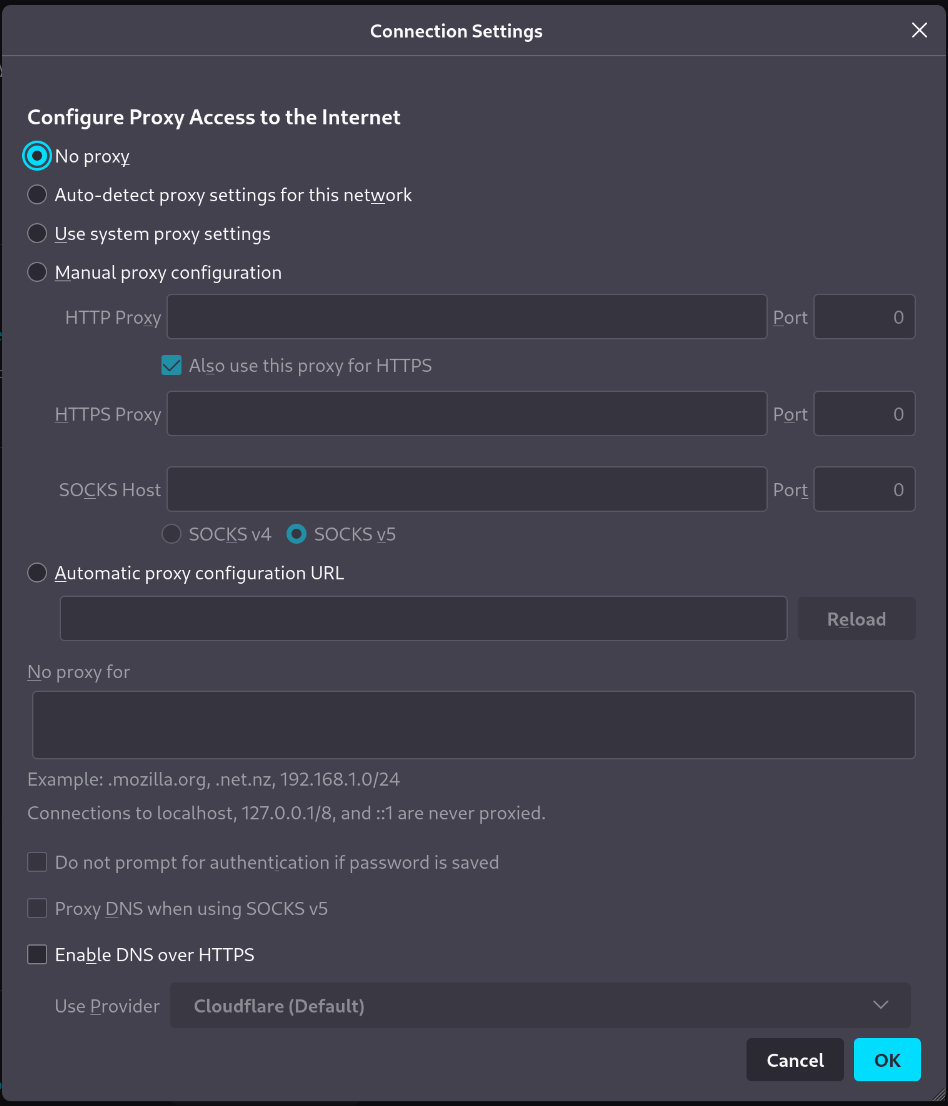
Screenshot
Clone and install
To test this tutorial, you need to download this repository and install Rougail:
git clone -b 1.1 https://forge.cloud.silique.fr/stove/rougail-tutorials.git
cd rougail-tutorials
python -m venv venv_rougail
. venv_rougail/bin/activate
pip install rougail-cli rougail-output-exporter rougail-output-doc rougail-user-data-yaml
Then switch to the tutorial page:
git switch --detach v1.1_000
Structure
.
└── firefox
└── 00-proxy.yml
Contents of the firefox/00-proxy.yml file
%YAML 1.2
---
version: 1.1
...
User datas
Example 1
config/01/config.yml
---
Output
rougail -m firefox/ -u yaml -yf config/01/config.yml